
If a day of AI chats, notifications and browsing feels busy but produces little finished work, start by looking at how often you change tasks. A message can lead to an AI reply, another research tab and then a recommendation feed, leaving the original task unfinished.
This guide offers a way to organize digital work. Rather than claiming that a “Stone Age brain” cannot handle AI, it separates task-switching research from practical changes you can compare in your own routine.
What the research does and does not establish#
Rubinstein, Meyer and Evans studied task switching using classification and arithmetic tasks. Switching took time, and the cost varied with rule complexity. The experiments support the narrower point that moving between tasks has a time cost.
They did not establish that using AI causes burnout or brain damage. Nor can they determine your ideal work interval or a universal productivity loss. Avoid turning that evidence into claims that AI “overloads the brain” by a particular multiplier.
Record the interruptions before adding another tool#
Use a plain note to record four things. This is a work log, not a diagnostic test.
| Item | Example |
|---|---|
| Intended result | One article draft |
| Reason for switching | Message, extra AI suggestion, new video |
| Work needed to return | Find sources again, reread context |
| Finished result | Draft saved or article published |
Chat turns and open tabs are not the same as completed work. Record the outcome too, so you can distinguish necessary checking from repeated work.
1. Define completion before opening the chat#
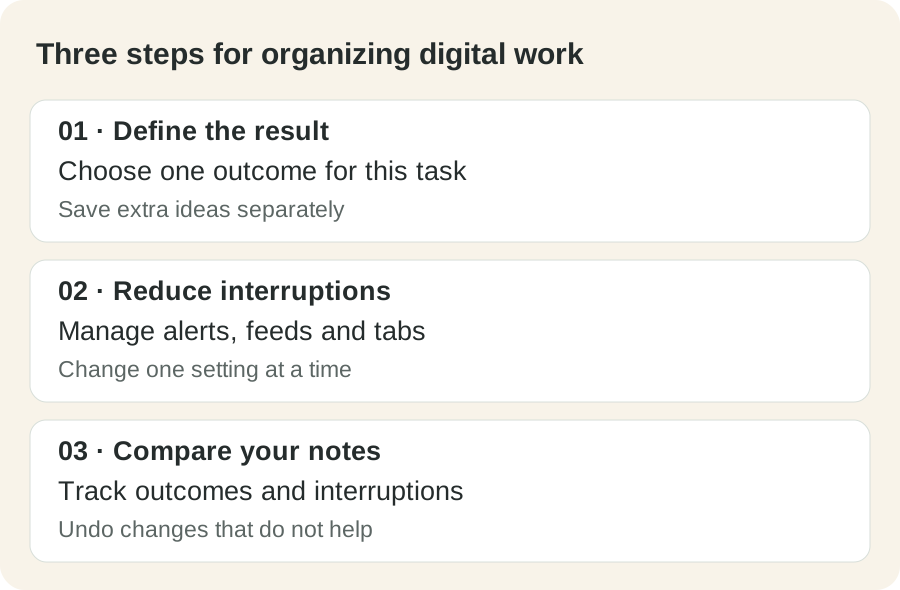
Replace “research this subject” with an observable result such as “write one settings guide readers can follow.” Keep information needed for that result. Save optional ideas in a separate note rather than immediately starting them.
The goal is to finish one article. Give the information needed for the current step first. Keep new ideas in a short separate list. Distinguish checked facts from unresolved points.
Check important claims and the final output. When returning to a decision you already checked, identify what changed and which new point needs verification rather than restarting the entire discussion.
2. Manage notifications and recommendations separately#
Messages, email and video recommendations arrive through different routes. Begin with the route that most often interrupts your task.
- Reduce notifications from apps you do not need during the task. Preserve urgent work contacts.
- Hide recommendation elements or review viewing time when video browsing repeatedly takes over.
- Once source collection is complete, keep the sources you need and close other tabs.
The Shorts settings guide separates desktop and mobile controls. Hiding a feed is different from setting a reminder, and neither should be presented as a dopamine treatment.
3. Try one bounded work interval#
Choose an interval that fits your schedule and one result to work toward. There is no universal number of minutes established here. Adjust it to your work obligations and the point at which continuing becomes difficult.
At the end, save your progress and write the next action in one sentence. You can also compare a break away from the screen with a break spent opening more sources. Treat this as a practical experiment rather than a promised health benefit.
4. Change one thing and compare over several days#
Record your usual routine first. Then change one setting, such as reducing notifications or hiding recommendations. Track completed results, interruptions and occasions when returning was difficult.
Workload and personal circumstances can vary. A short comparison does not prove causation or a treatment effect. Undo a setting if it makes work harder, and try another source of interruption. Compare existing settings before paying for another tool.
Work organization and health concerns are separate. If sleep, mood or concentration difficulties persist and interfere with daily life, seek appropriate professional support rather than relying only on app settings.